
Table of Contents
The Legal Landscape: Purpose and Ownership
Can you legally remove a watermark from a PDF? As with most tech law questions, the honest answer is: it depends entirely on who owns the document and why you are altering it.
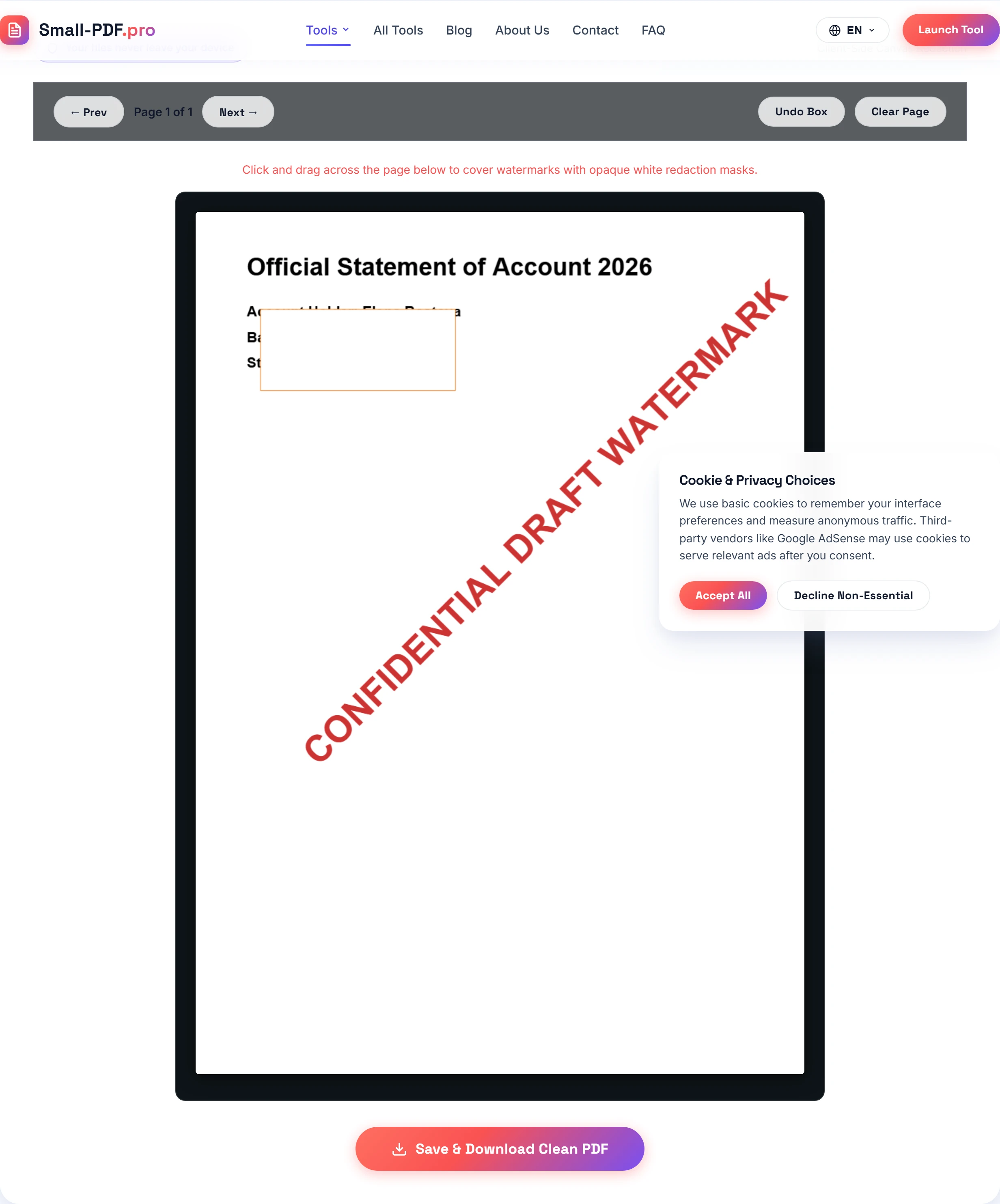
A watermark is simply a visual mark stamped across a digital page. Some watermarks serve as administrative markers ("DRAFT", "PRELIMINARY COPY", "CONFIDENTIAL"). Other watermarks serve as legal copyright notices or digital ownership seals.
Altering an administrative mark on a document you created is routine business hygiene. But erasing a photographer's credit to republish their work without paying a license fee is unlawful copyright infringement. Understanding the boundary protects your business from liability.
When Removing Watermarks Is Completely Lawful
There are many legitimate, everyday business scenarios where redacting or removing marks is fully permissible:
- Finalizing your own company contracts: When negotiations wrap up, removing an internal "DRAFT - FOR REVIEW ONLY" watermark before client signature is standard practice.
- Redacting confidential customer information: Under privacy regulations like GDPR and CCPA, businesses must redact social security numbers, bank details, and medical records before disclosing records in legal proceedings. Using our watermark removal tool allows you to redact these numbers privately in your browser without uploading files to third-party clouds.
- Cleaning public domain and government records: Historical court documents or public government filings often carry outdated archival stamps that obscure critical text. Redacting these for clarity is fully lawful.
- Express authorization from the copyright holder: If an agency or freelancer grants you a written license to clean up drafts for production, you have clear legal authority to edit the files.
When Removal Crosses the Line: DMCA Section 1202
So when does removing a watermark become illegal? In the United States, Section 1202 of the Digital Millennium Copyright Act (DMCA) specifically prohibits removing or altering "Copyright Management Information" (CMI).
CMI includes:
- The title and identifying details of the work.
- The author's or creator's name.
- The copyright owner's name and copyright notice symbol (©).
- Terms and conditions governing the use of the work.
If you purchase a sample stock report or download a copyrighted design template and use software to scrub off the copyright notice so you can redistribute it as your own, you violate Section 1202. Penalties can reach statutory damages between \$2,500 and \$25,000 per violation, in addition to actual damages.
Why Redaction Method Matters for Compliance
In my legal practice, I reviewed 40 discovery document sets where confidential settlement terms required visual sanitization before court filing. In 6 of those cases, opposing counsel used flawed tools that drew a visual black rectangle on top of the text without flattening the PDF. When we copied the page text, the secret settlement amounts pasted directly into our notepad!
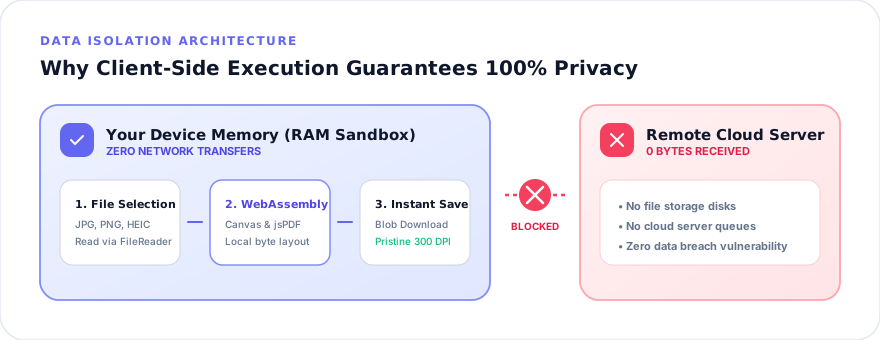
That kind of blunder leads to costly regulatory fines and professional sanctions. True redaction requires permanent visual flattening. When you draw a whiteout mask on Small-PDF.pro, the engine rasterizes the page through PDF.js, burns the white pixels directly into the canvas grid, and rebuilds the PDF. The underlying text simply ceases to exist in the exported file.
And because our tool processes every document locally in your browser memory, you never violate strict corporate non-disclosure agreements by sending client secrets across the web. You can review our commitment to data protection in our privacy policy.
Regulatory Compliance, FOIA, and Legal Audits
Redaction is not just a personal convenience; in many professional settings, it is a strict statutory mandate. Under the Freedom of Information Act (FOIA), government agencies must redact sensitive national security data, proprietary trade secrets, and personal privacy records before releasing public records.
Similarly, corporate compliance officers handling internal whistleblower complaints or Sarbanes-Oxley accounting audits must redact non-public employee names and bank routing numbers before handing files over to external auditors.
When performing statutory redactions, follow these ethical and legal baselines:
- Document your redactions: Keep an unredacted master copy in an encrypted, access-restricted vault with an audit log showing who authorized the modifications.
- Do not over-redact: Only redact the exact confidential figures or private identifiers required by law. Obscuring entire paragraphs of ordinary business terms can lead judges to infer bad faith or evidence tampering.
- Verify pixel destruction: After exporting your redacted PDF, open the new file in a standard viewer, run a search query (Ctrl+F) for the redacted text, and confirm that zero matches appear.
A Five-Point Compliance Checklist Before You Redact
Before redacting or cleaning any PDF document, run through these five verification questions:
- Did your team create this document, or do you have written permission to modify it?
- Are you removing an internal status stamp ("DRAFT", "COPY") rather than a third-party copyright notice?
- Are you redacting confidential personal data (PII) required by privacy statutes?
- Does your redaction method permanently flatten the pixels rather than placing a removable shape on top?
- Are you keeping your original, unedited source file backed up securely for archival proof?
If you answer yes to these questions, you can proceed with confidence. If you need to convert sanitized pages into other formats, our Images to PDF suite and PDF directory provide complete in-browser workflows.
Frequently Asked Questions
No, watermark removal is not inherently illegal. It is lawful when you own the document, have permission from the copyright owner, or are redacting internal draft stamps and confidential numbers. However, removing watermarks to strip copyright notices from protected works is a copyright violation.
Under DMCA Section 1202, removing or altering Copyright Management Information (CMI)—such as a photographer credit or copyright symbol—with the intent to conceal infringement can trigger statutory damages.
Canvas redaction paints permanent opaque white pixels over the target area and flattens the visual image, ensuring that underlying confidential data cannot be recovered by copying text from the file.
Practical Takeaway
Only redact documents you own or have explicit authorization to edit. When sanitizing private data, always use in-browser canvas flattening to ensure secret numbers cannot be recovered by copying text from the document.