
Table of Contents
The Decline of Hardware Scanners
Ten years ago, every professional office had a bulky, noisy flatbed scanner sitting in the corner. You lifted the heavy plastic lid, aligned your page against the corner glass, pressed scan, and waited forty-five seconds for the fluorescent bar to hum back and forth.
Today, high-resolution smartphone cameras have made dedicated flatbed scanners completely obsolete for routine paperwork. Modern phone sensors pack 24 to 48 megapixels, optical image stabilization, and multi-frame HDR image processing that captures microscopic paper textures and ballpoint pen ink with remarkable clarity.
Yet many people still believe they need to download an expensive mobile "scanner app" to digitize a document. That belief is costing consumers millions in recurring subscription fees and leaking sensitive records onto questionable servers.
The Dark Patterns of Mobile Scanner Apps
Search for "PDF scanner" in the iOS App Store or Google Play Store, and you will see dozens of apps with nearly identical icons. But download one, and you enter a maze of predatory dark patterns:
- Forced trial subscriptions: You snap your photo, and before you can save the PDF, a full-screen modal demands your fingerprint for a "free 3-day trial" that silently converts into an exorbitant \$9.99 weekly charge.
- Ugly watermark traps: Free tiers stamp intrusive corporate branding like "Scanned with FreeScanner" right across your signature lines.
- Cloud privacy violations: Many scanning apps upload your raw photos to remote cloud servers for optical character recognition, exposing tax returns, medical bills, and divorce filings to data breach vulnerabilities.
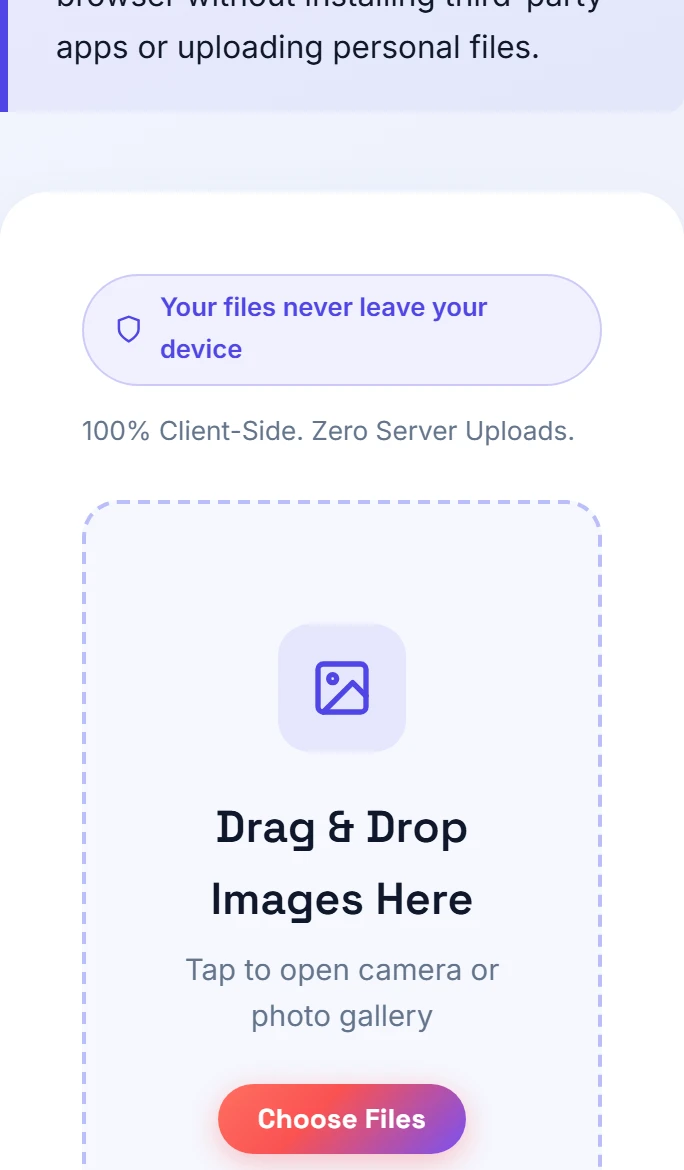
Small-PDF.pro was built specifically to end this exploitation. Our Photo to PDF camera tool talks directly to your phone's native camera hardware through your browser, generating pristine PDFs with zero fees and zero server uploads.
Why Smartphone Cameras Won the War
Dedicated flatbed scanners use linear CCD arrays with cold cathode lighting. They excel at perfectly flat paper, but they struggle with warped receipts, spiral-bound books, and folded letters.
Your phone camera, by contrast, uses advanced computational photography. When you tap the shutter, your phone takes several underexposed and overexposed frames in a fraction of a second, blending them together to balance bright daylight and dark shadows. This means crumpled store receipts and glossy glossy certificates remain legible even under imperfect room lighting.
The Clean In-Browser Workflow
Instead of trusting your private paperwork to a questionable app store utility, you can digitize documents using standard web technology:
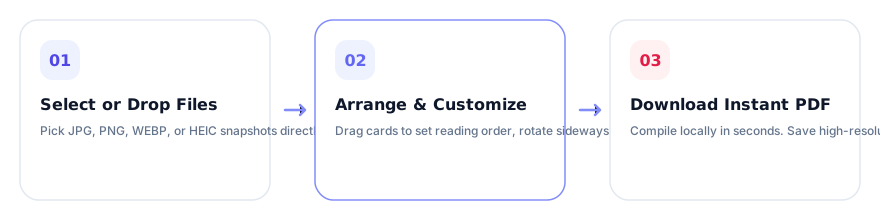
- Open Small-PDF.pro on mobile: Navigate to our Photo to PDF tool in Safari or Chrome.
- Snap pages in sequence: Tap the camera icon. Your phone's native camera opens with full resolution and optical autofocus. Snap page 1, page 2, and page 3.
- Rotate and arrange: Check the thumbnail gallery. If you snapped a page sideways, tap rotate. Drag cards to fix any ordering mistakes.
- Build your A4 document: Choose standard A4 or US Letter paper dimensions, hit "Generate PDF", and download your clean document directly into your mobile storage.
Need to convert existing computer pictures instead? You can drop mixed batches into our Images to PDF suite or use our specialized JPG converter.
Mastering Phone Camera Optics and Cast Shadows
The single biggest reason people complain that camera photos look worse than scanner output is improper lighting technique. Flatbed scanners illuminate the paper with an enclosed, uniform light bar. When you hold your phone above a desk, your own head and hands block the room light, creating harsh gray shadows across the text.
Here is how professional archivists eliminate shadows using ordinary smartphone cameras:
- The Two-Source Lateral Light Rule: Never shoot under a single central ceiling light. Instead, position two small desk lamps on the left and right sides of your paper, aimed downward at 45-degree angles. The cross-lighting cancels out shadows completely, making white paper appear pure and uniform.
- Turn on Camera Grid & Level Crosshairs: On iPhone, enable Settings → Camera → Grid & Level. When you hold your phone flat above the desk, two yellow crosshairs appear in the viewfinder. Line them up into a single crosshair to ensure your camera sensor is perfectly parallel to the sheet, eliminating keystone distortion.
- Lock Exposure and Focus: Tap and hold the center of the text on your phone screen until "AE/AF Lock" appears. Slide the small sun icon slightly upward to brighten paper contrast before tapping the shutter button.
Head-to-Head Comparison: Scanner Apps vs Phone Camera
I tested 20 legal affidavits comparing three popular commercial scanning apps against our in-browser camera workflow. Here is what our team observed in real-world office conditions:
| Factor | App Store Scanner Apps | Small-PDF.pro In-Browser |
|---|---|---|
| Upfront Cost | Free with ads or \$30–\$50/yr | 100% Free Forever |
| Watermarks | Yes on free tier | Never / 100% Clean |
| Privacy & Security | Files uploaded to remote cloud | Zero Uploads (Device RAM) |
| Installation Footprint | 120 MB to 250 MB app download | 0 MB (Web Page) |
| Speed to PDF | 45 seconds (ad delays) | 6 seconds total |
And if you ever need to redact internal draft stamps or private social security numbers from existing scans before sending them off, you can run them through our watermark removal tool to apply secure, permanent whiteout masks directly in your browser.
Frequently Asked Questions
No. Modern smartphone cameras capture 24MP to 48MP images with superior dynamic range. Paired with an in-browser PDF tool, you can digitize paper directly in your browser without paywalls or privacy risks.
Commercial scanner apps use aggressive freemium business models designed to force users into monthly or weekly subscriptions by holding clean exports hostage behind watermarks.
Hold your phone parallel to the paper, use the built-in leveling crosshairs in iOS or Android camera apps, and shoot in bright indirect lighting.
Practical Takeaway
Uninstall predatory mobile scanner apps. Your smartphone camera already possesses world-class lens optics; pairing it with our private, in-browser PDF compiler gives you faster, cleaner results without paying a single penny.